> For the complete documentation index, see [llms.txt](https://docs.d5render.com/llms.txt). Markdown versions of documentation pages are available by appending `.md` to page URLs; this page is available as [Markdown](https://docs.d5render.com/workflow/cinema-4d/workflow-or-d5-sync-for-c4d.md).
# Workflow | D5 Sync for C4D
D5 Sync for C4D
D5 Render is a free real-time renderer for C4D. It promises fast rendering speed and high-quality rendering results at the same time.
Learn more about D5 Render for C4D: [C4D to D5 | Cinema 4D Real-time Rendering Software](http://www.d5render.com/post/cinema4d-real-time-rendering-software)\
Download D5 Render: [Download | D5 Render ](http://www.d5render.com/download)\
Download D5 Sync for C4D: [Click to download ](https://d5converter.d5cdn.com/installer/c4d/latest/D5_Sync_Cinema%204D_usa_latest.exe)
#### Supported versions
Cinema 4D 20 to 26, and 2023 to 2025
## Download & Installation
[Click to download](https://d5converter.d5cdn.com/installer/c4d/latest/D5_Sync_Cinema%204D_usa_latest.exe)
Unzip the file after downloading it and run the installer following the instructions.
## Features
#### One-click to Launch D5 Render in C4D
* Import your models into D5 Render to start real-time rendering.
* If the model file has some changes, we can either sync the changes into the D5 scene or create a new D5 scene file.
#### Model/Material/Scene Sync
* After the current model has been edited in C4D, quickly sync the new model and materials to D5 Render with the Sync button, while keeping the materials and scene parameters that have been adjusted in D5 Render.
* Support the sync of C4D standard materials.
* Support the sync of Octane materials.
* Support Corona material (Corona 6, Corona 8 parts) mapping.
* Support Redshift material (direct mapping and base parameter) mapping.
* Support the sync of cameras.
#### View Sync
* Keep the view of C4D and D5 Render consistent in the perspective view.
* Support one click to turn view sync on or off.
#### Light Sync
* Support the sync of point light, area light and spotlight.
#### Camera Animation Sync
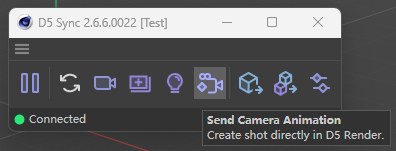
* Added Camera Animation Sync feature. Supports syncing selected camera animations with keyframe information from Cinema 4D to D5 video editor with the LineSync plugin.
* Supports batch sending of multi-selected cameras into D5 each as a separate shot, with environment, post effect and camera adjustments enabled.
Camera Animation Sync
#### Export .d5a
* D5 Render does not support directly opening .c4d files, but we can convert .c4d into .d5a format through D5 Sync for Cinema 4D, and then open .d5a files in D5 Render.
* Export the whole file or selected objects only.
#### Settings
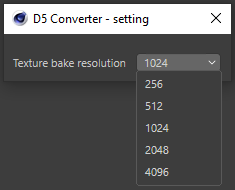
* Support adjusting the texture bake resolution when syncing or exporting models
Settings
#### Auto Update Notification
## Uninstall
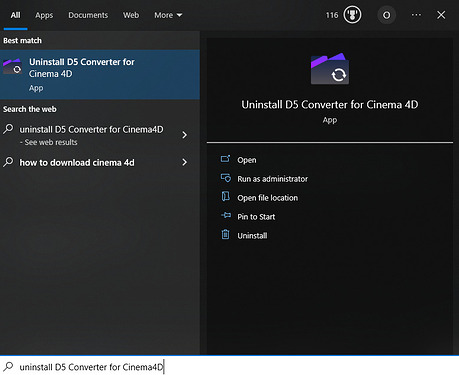
* Method 1\
Click the Windows Start button to find the uninstaller program and run it
Uninstallation
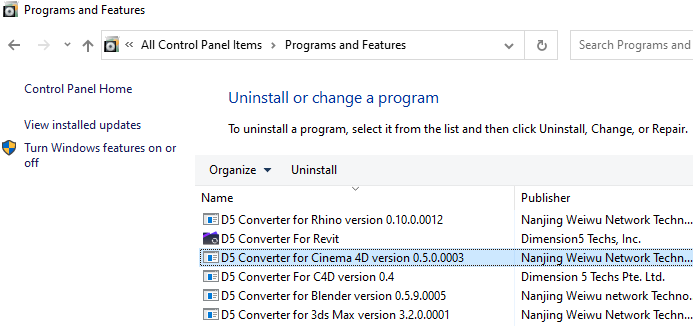
* Method 2\
Go to Control Panel > Programs and Features > Uninstall a program, and then run the uninstaller.
[i](https://usa-forum.d5cdn.com/original/2X/1/159d76cec5570196623a059229989ef549a74e8e.png)
Uninstallation
## Support
If you encounter any problems when using C4D and D5 Render workflow, feel free to visit D5 Forum, where you can read release notes and known issues/solutions, communicate with each other, and seek help from D5 Support.